
Everything. Everyone.
Connected.
Cooriva AI combines calendar, tasks, notes, reminders, team chat and an AI assistant in one tidy app – for people and teams who want to jump between tools less and get more done.
Runs in the browser and as an installable app (PWA) – German and English.
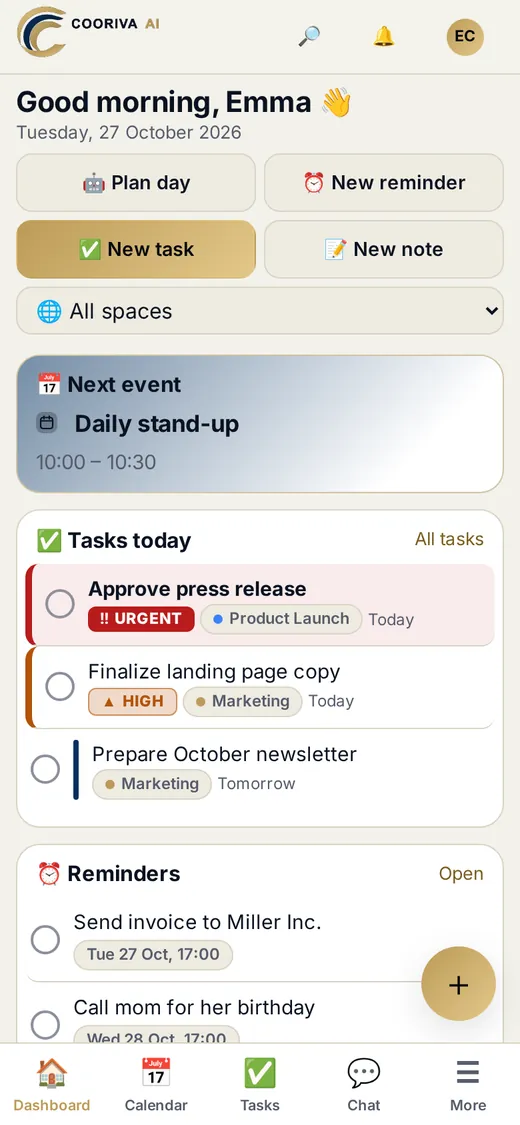
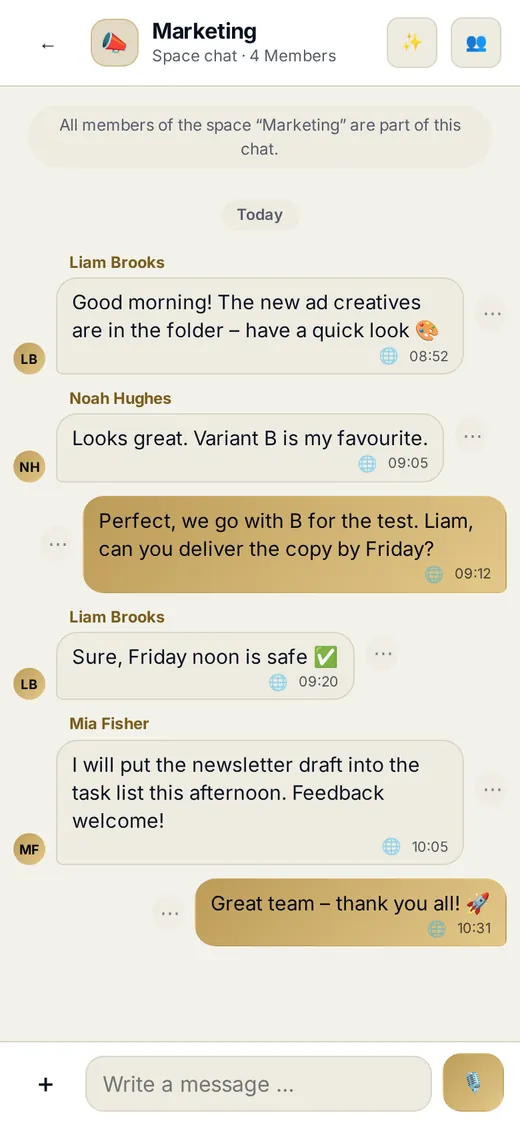
Everything important in one place
One seamless flow – no constant switching.
Calendar & events
Private calendar with time zones per event and recurrence. Optionally synced with your Google Calendar.
Tasks & reminders
Create tasks, assign them in your team, keep track on a board or list – plus reminders and habits.
Notes & meetings
Notes with attachments, meeting recordings with a summary and links to events and tasks. Optionally save notes to your Google Drive.
Team chat
Chats for spaces, groups and direct messages – with clear permissions.
Global search
One search across notes, tasks, events, reminders and chats – only what you are allowed to see.
AI assistant
Ask about events, tasks and notes. The AI only proposes changes – nothing is saved until you confirm.
Connect via webhook
Cooriva can be connected to other tools via webhook – for example your Sales Agent and GoHighLevel. Tasks, reminders and notes created there land directly in Cooriva, and when a task is completed Cooriva reports it back to your address. Every connection has its own key that you can revoke at any time.
See Cooriva in action
Real views from the app – tidy, fast and just as good on mobile.
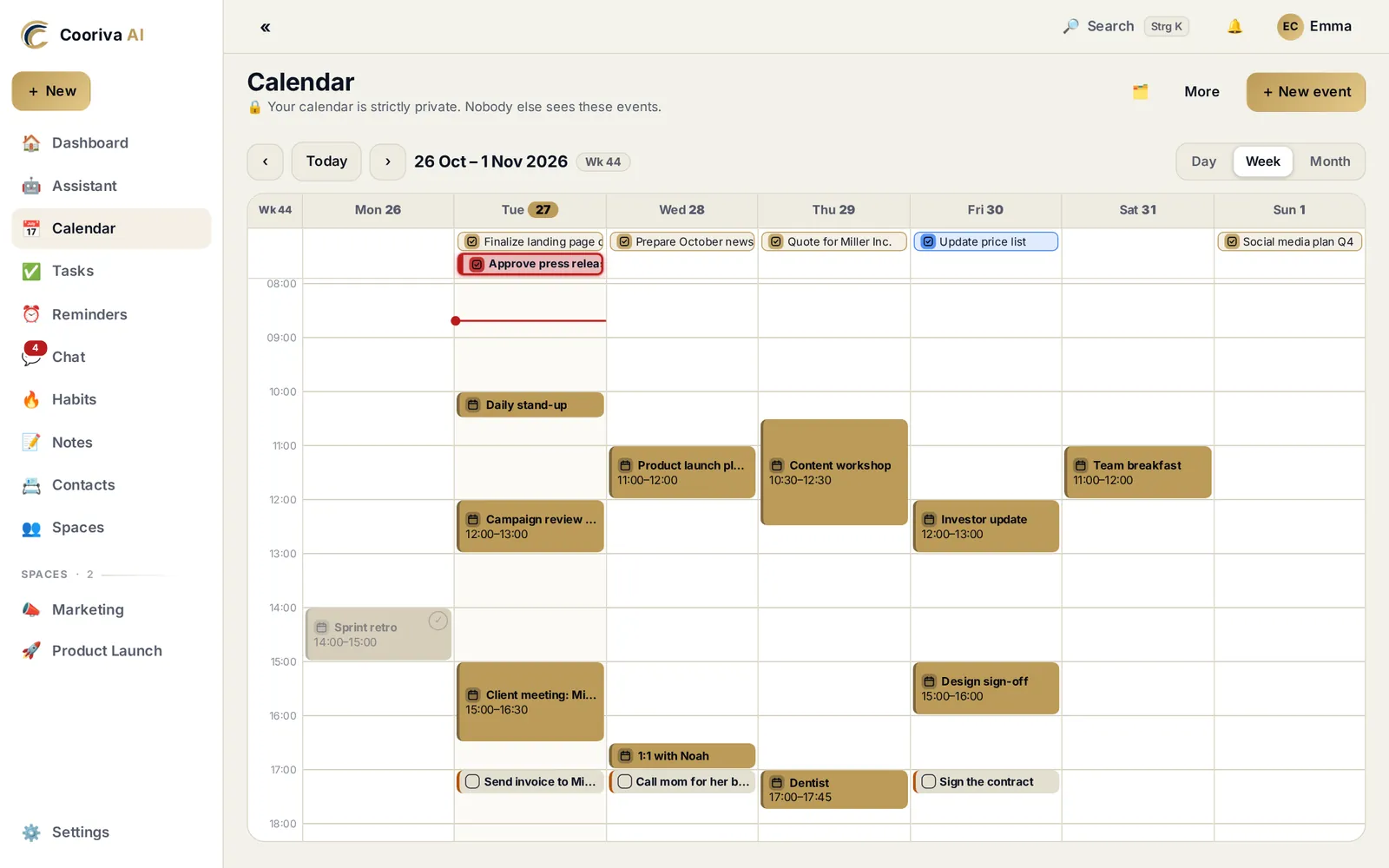
Calendar
Week view with events, tasks and reminders in one place – private and optionally synced with Google.
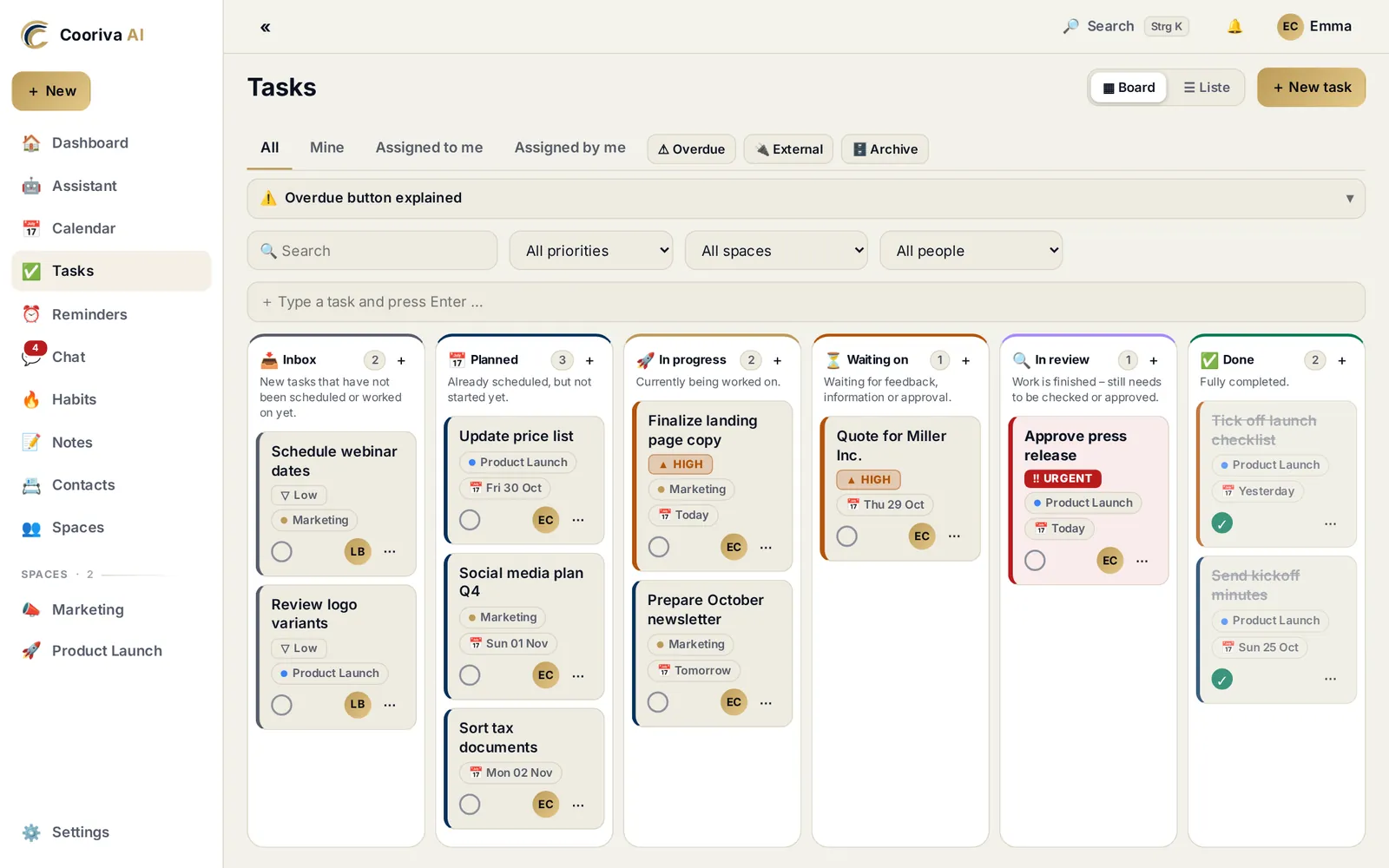
Tasks
A kanban board from inbox to done, with priorities, spaces and assignees.
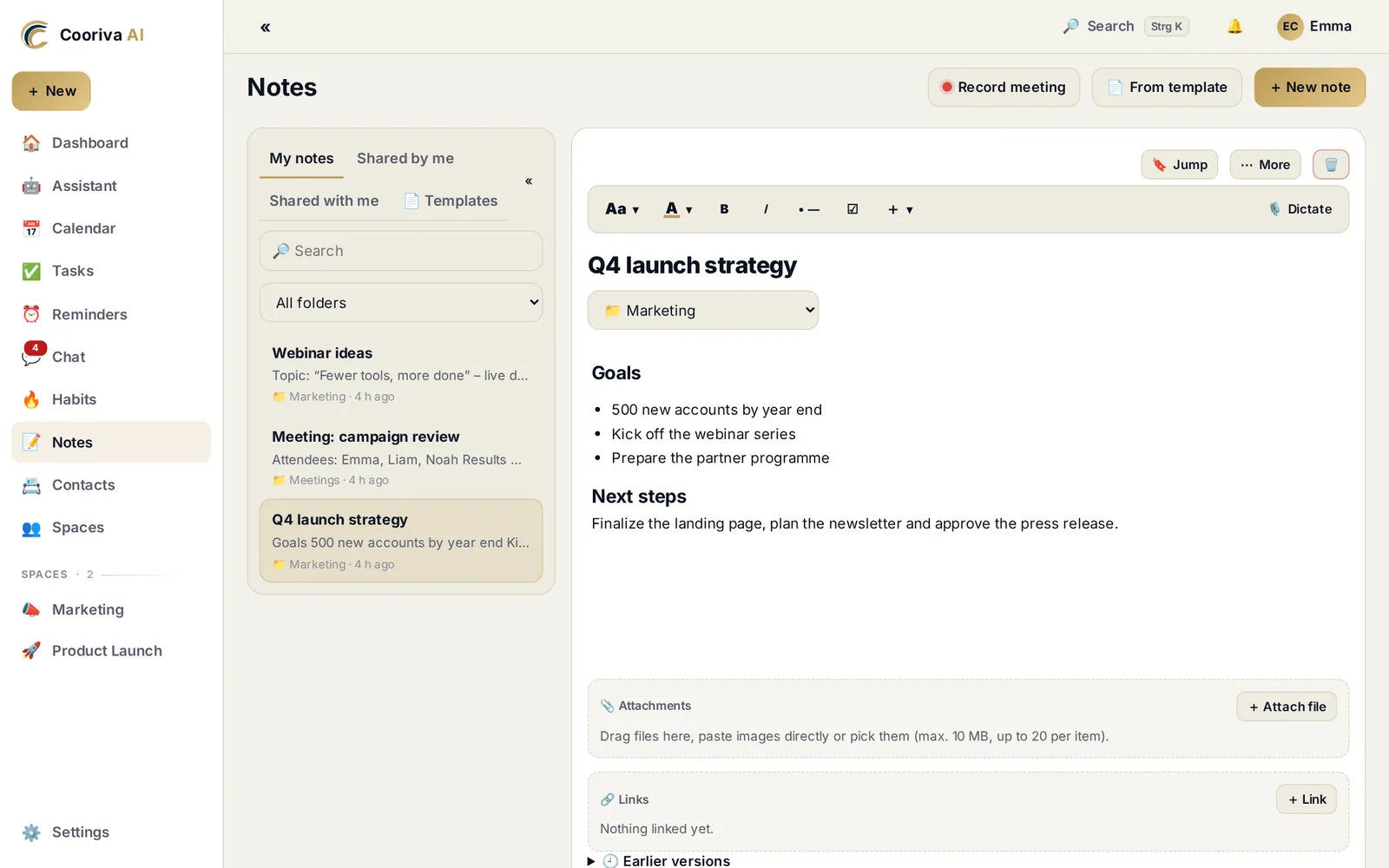
Notes
Structured notes with folders, attachments and links to events and tasks.
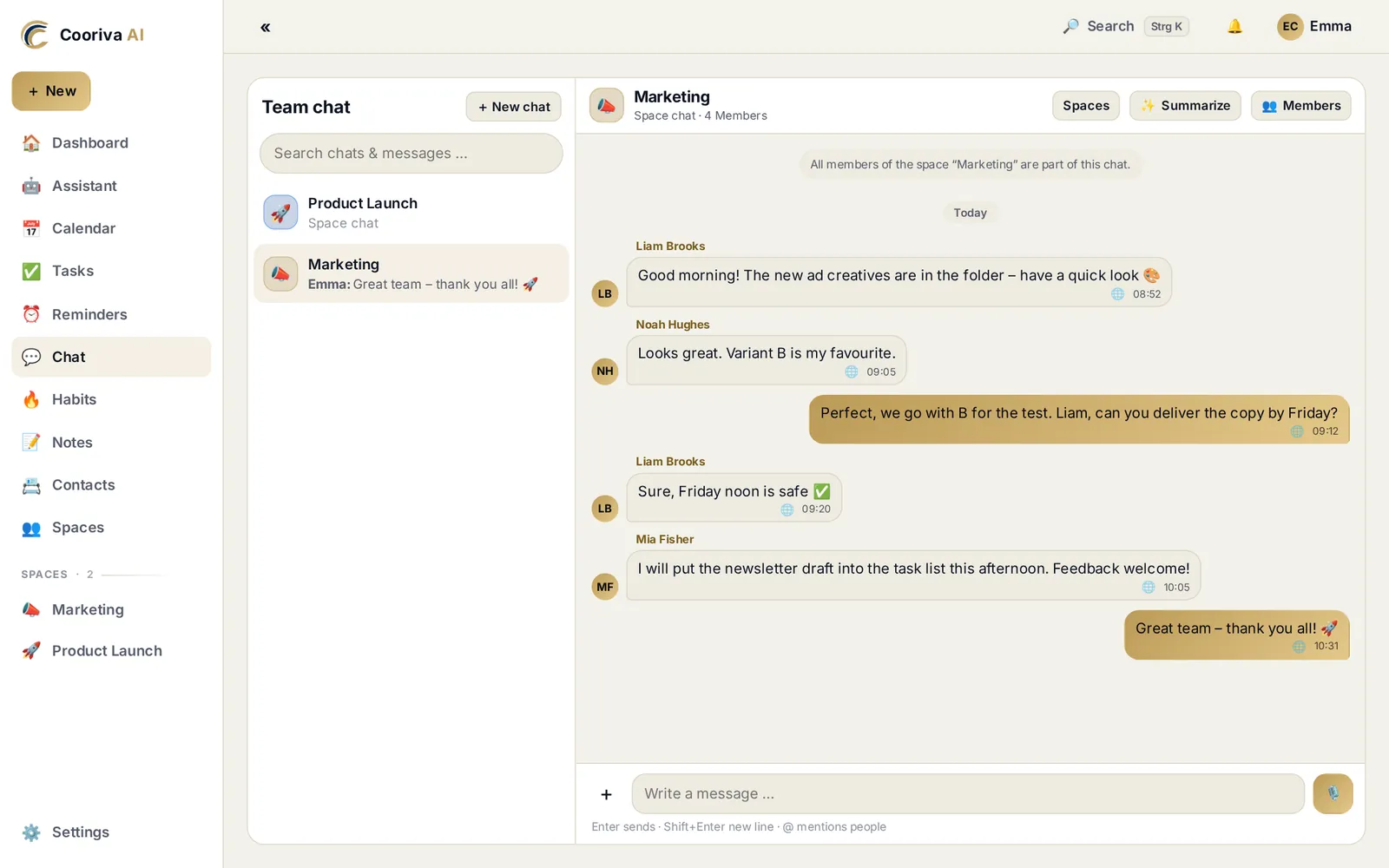
Team chat
Chats per space, in groups or direct – with replies, mentions and an AI summary.
With you on the go
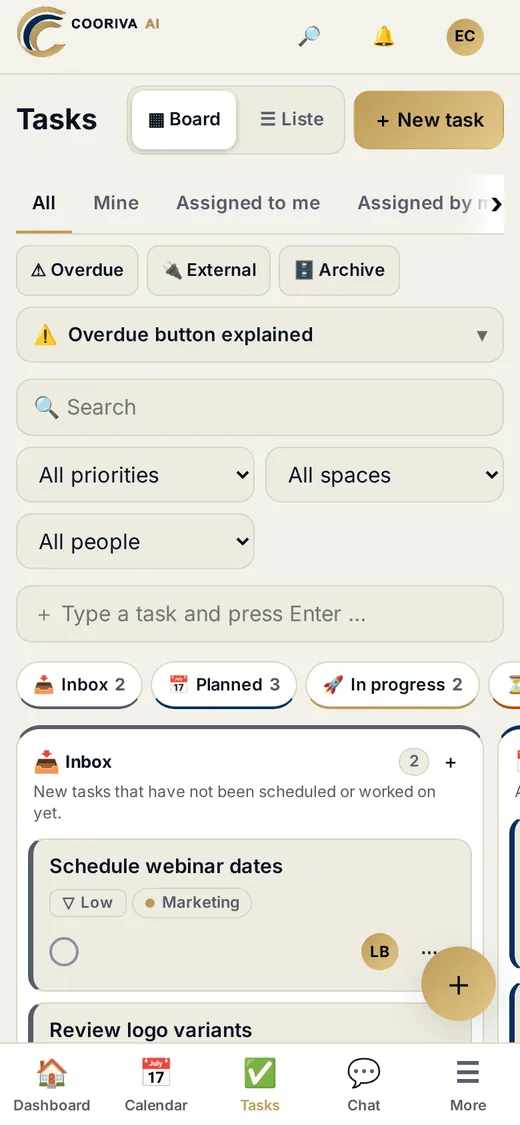
Sample data – all names and content are fictitious.
Ready in three steps
From sign-up to your first completed task – in a few minutes.
Create an account
Sign up with email and password – takes less than a minute.
Invite your team
Create a space and add your colleagues.
Get started
Create events, tasks and notes – the AI assistant helps.
Google Calendar & Drive – optional and minimal
You decide whether to connect your Google account.
Only what is needed
Cooriva asks only for access to your calendar events and, if you want, for a “Cooriva” folder in Google Drive that holds only the files Cooriva itself creates (e.g. your saved notes) – no emails, no other Drive files, no contacts.
Private & separate
Your Google events are visible only to you – administrators cannot see them either.
Disconnect anytime
One click in the settings disconnects the account, revokes access at Google and removes the imported events.
Transparency & trust
You stay in control of your data.
Data ownership
Your content belongs to you. Details in the Privacy Policy.
Clear rules
Use is transparently governed by the Terms of Use.
Contact
Questions? Write to [email protected]. Provider details in the Legal Notice.
Ready to bring order to the chaos?
Create your account in a few minutes and get started.
Create account